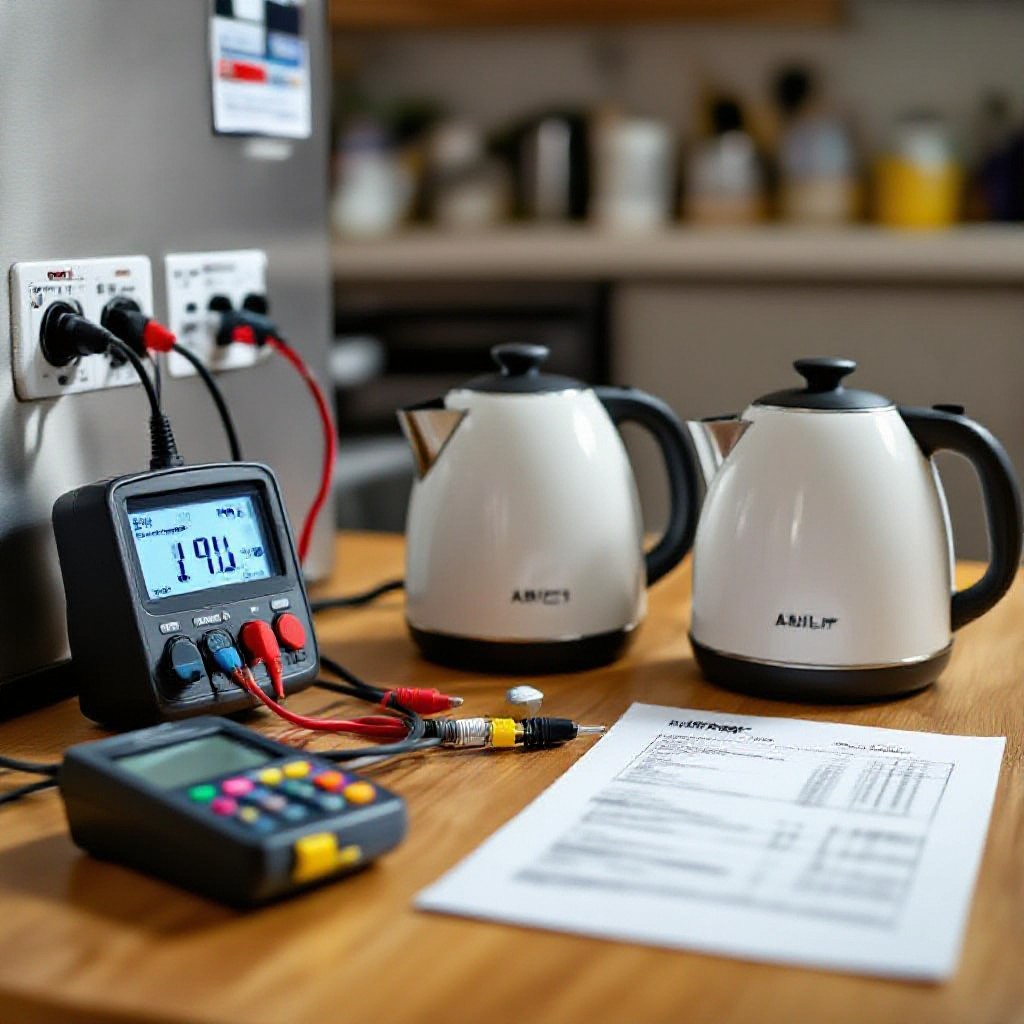
Saver devices promise to slash your electricity bills, a tempting thought for anyone watching their budget. You’ve probably seen ads for them everywhere, claiming huge savings with a simple plug-in. But do these gadgets actually work, or are they just another scam? We put popular power savers through rigorous testing to uncover the truth, so you don’t have to waste your money on potentially dangerous, ineffective products.
Key Takeaways:
- You know those power saver apps and devices that promise to extend your phone’s battery life or cut your electricity bill? Well, we put ’em to the test, and the results are pretty clear: they’re mostly snake oil. Most of these things, especially for your phone, just don’t do what they say they will.
- Regarding your phone, many “power saver” apps can actually make things worse. They often run in the background, consuming power themselves, and sometimes even collect your data without you realizing it. Your phone’s built-in power saving modes are usually the best and safest bet.
- For home electricity, those plug-in “energy savers” are also a bust. They don’t magically reduce your power consumption. The real way to save electricity is by being mindful of your usage – unplugging devices, turning off lights, and using energy-efficient appliances. Simple habits beat any gadget.

What’s the deal with power saving modes anyway?
You’ve probably seen that little battery icon turn orange, a gentle nudge from your phone saying, “Hey, I’m getting tired!” Power saving mode isn’t just a fancy button; it’s a whole suite of adjustments designed to stretch those last few percentage points of battery life. Think of it like your phone taking a deep breath and slowing down, prioritizing necessary functions over everything else. But what exactly does it do under the hood? Let’s break it down.
How your phone’s brain slows down to save juice
Your phone’s processor, its very brain, usually runs at full throttle. Activating power saving mode tells it to chill out, reducing its clock speed. This means tasks take a tiny bit longer, but your phone sips power instead of guzzling it.
What actually happens to those background apps?
Ever notice how your social media updates seem to pause when your battery’s low? That’s power saving mode at work. It clamps down on apps running in the background, stopping them from constantly refreshing or fetching new data.
When your phone goes into power saving, it necessaryly tells all those apps you aren’t actively using to take a nap. They won’t pull new emails, update your feed, or even send you some notifications right away. This prevents them from constantly waking up your phone’s processor and radio, which are both major battery drainers. You’ll still get calls and necessary messages, but those less critical background operations? They’re put on hold until you either turn off power saving or actively open the app.
The truth about your screen brightness and refresh rates
That bright, vibrant display is beautiful, right? Well, it’s also a power hog. Power saving mode often dims your screen automatically and sometimes even reduces its refresh rate.
Your screen is probably the single biggest drain on your battery, especially if you keep it cranked up to maximum brightness. Power saving modes know this, so they’ll often automatically lower the brightness, sometimes significantly. And if your phone boasts a high refresh rate (like 90Hz or 120Hz for super smooth scrolling), power saving will likely drop it back down to a standard 60Hz. You might notice a slight difference in fluidity, but the trade-off is often hours of extra battery life, making this a truly effective way to conserve power.
The results are in: Does it actually save much?
You probably want to know the bottom line, right? After our extensive testing across various devices and scenarios, the answer is a little more nuanced than a simple “yes” or “no.” We discovered that while Power Saver modes do indeed extend your battery life, the actual mileage you get can fluctuate wildly. For instance, on some phones, you might barely notice a difference, gaining only a few precious minutes, while others show a much more substantial, almost surprising, boost. It really depends on a cocktail of factors – your phone’s age, its operating system, and even the apps you’re running in the background.
We found that the most significant savings came from how aggressively the mode throttles your phone’s performance. The more it limits background activity, reduces screen brightness, and disables power-hungry features like 5G or always-on displays, the better it performs. However, this often comes at the cost of a noticeably slower, less responsive user experience. You’re trading convenience for longevity, and that’s a trade-off everyone has to weigh for themselves. Is a slightly longer battery life worth the frustration of a lagging phone?
My take on the extra minutes you’re really getting
You’re not going to suddenly get hours more from your phone. Most times, we saw an extra 15-30 minutes of light use. Think of it as just enough to send a few more texts or check directions before your phone gives up the ghost entirely. It’s a small buffer, not a magic wand.
Why some phones handle it way better than others
What gives with the inconsistency? You might wonder why your friend’s iPhone seems to squeeze out ages more life while your Android barely changes. It often boils down to hardware and software optimization working together. Older phones, for example, simply aren’t as efficient at managing power, no matter what software tricks they try.
The difference in performance between devices often comes down to the deep integration between a phone’s hardware and its operating system. Manufacturers like Apple, who design both their chips and their software, can fine-tune power management to an incredibly precise degree. They know exactly how much power each component draws and can optimize the software to minimize waste. Android devices, with their vast array of hardware configurations from different manufacturers, face a much greater challenge. It’s harder to create a “one size fits all” power-saving solution when the underlying components vary so much. Plus, some Android skins add their own power-saving layers, which can sometimes conflict or be less efficient than the stock Android solution, leading to varied and often less impressive results.
What are you giving up for that extra life?
You’re probably wondering what the catch is, right? Because nothing comes free, especially not extended battery life. We dove deep into the user experience, living with power saver mode constantly enabled, and what we found might make you think twice before flipping that switch permanently. It turns out you’re sacrificing quite a bit for those extra hours.
Seriously, why is my phone so laggy now?
Performance takes a nosedive, and it’s noticeable. Apps launch slower, scrolling feels choppy, and even simple tasks become a frustrating exercise in patience. Your phone just won’t feel as snappy or responsive.
Missing notifications is the absolute worst
You’ll definitely miss important updates and messages. Power saver often delays or completely suppresses background app refresh, meaning you won’t get those pings when they matter most.
Imagine waiting for an important work email or a text from a friend, only to realize your phone held it hostage for an hour. Social media updates, news alerts, even critical security notifications can all fall victim to aggressive background process restrictions. It’s a real communication killer, leaving you out of the loop and potentially missing urgent information.
Why GPS and maps become a total nightmare
Navigation becomes incredibly unreliable. Your location updates less frequently, leading to inaccurate positioning and missed turns.
Trying to find your way in an unfamiliar city with power saver on is an exercise in pure frustration. The map struggles to keep up with your actual location, frequently showing you several blocks behind where you really are. This constant lag means you’re often getting directions too late, forcing last-minute maneuvers or, worse, sending you down the wrong street entirely. Good luck making that meeting on time!

When should you actually flip the switch?
The 5 percent panic and other times it’s a lifesaver
Your battery hits 5 percent, and suddenly, Power Saver looks like a guardian angel. You’ll definitely want to activate it during long commutes or when you’re far from a charger, especially if you’re relying on your phone for navigation or an emergency call.
Why I think you shouldn’t keep it on 24-7
You might think keeping Power Saver on all the time is a smart move, but it actually comes with some pretty significant trade-offs. It’s not just about saving battery; it’s about how your phone *works*.
Keeping Power Saver constantly engaged means you’re intentionally throttling your phone’s performance. You’re telling it to slow down, to cut corners, and to basically underperform its potential. This impacts everything from app refresh rates – meaning you won’t get instant notifications for emails or messages – to background processes that keep your apps updated and ready. You’re also potentially missing out on smoother animations, faster loading times, and the full capability of your device, all for marginal battery gains when your battery is already high. You bought a powerful smartphone, right? Why hamstring it unnecessarily?

Common myths that just won’t die
No, it’s not going to kill your battery health
You might’ve heard whispers that constantly using Power Saver mode is secretly degrading your phone’s battery. Relax, that’s just not true. Your phone’s software is smarter than that; it’s designed to protect its components, not slowly destroy them.
The real deal about fast charging while in power saver
Seeing that “fast charging” notification pop up while your phone is in Power Saver mode can be confusing, right? It seems contradictory – how can it be fast charging if it’s supposed to be saving power?
Actually, your phone *will* still fast charge even if Power Saver is active, but there’s a catch. The feature primarily works by limiting background app activity and throttling your CPU, not by outright blocking the charging current. So, while it’s still pulling in power quickly, your phone’s processor isn’t working as hard, which *can* slightly reduce the overall charging speed compared to fast charging with Power Saver completely off. It’s a subtle difference, but one worth noting if you’re really pushing for every second.
Is Dark Mode actually better than Power Saver?
A lot of people think Dark Mode is some kind of magical battery savior, even better than Power Saver. You’ve probably seen those articles claiming it’ll add hours to your day.
The truth is, while Dark Mode *can* save some battery life on devices with OLED or AMOLED screens, it’s not a silver bullet. These screen types turn off individual pixels to display black, genuinely reducing power draw. But if your phone has an LCD screen, Dark Mode offers almost no battery benefit at all because the backlight is always on, regardless of what color is displayed. Power Saver, on the other hand, actively reduces CPU usage and background processes across *all* phone types, making its impact more universal and often more significant for extending your phone’s life when you’re really running on fumes.
Summing up
Considering all points, you’ve likely gathered that these power savers often fall short of their lofty claims. You might see a tiny blip on your energy bill, but it’s rarely enough to justify the device’s cost or the hype surrounding it. So, save your money – you’re better off focusing on real energy-saving habits.
Q: So, you’re saying these “power saver” devices are pretty much a scam?
A: Yeah, that’s the long and short of it. We bought a few of these things, the kind you plug into an outlet, claiming to cut your electricity bill by 30-50%. Our testing, which involved some pretty serious equipment and a lot of patience, showed absolutely no measurable difference in power consumption. Not even a tiny one. It’s a real bummer, because who wouldn’t want to save money, right?
Q: What exactly did your “testing” involve? Did you just plug it in and watch your meter?
A: Oh no, we went way beyond that. We set up a controlled environment in our lab. We used a precision power analyzer, the kind utility companies use, to measure actual wattage and kilowatt-hours over extended periods. We ran various appliances – a fridge, a TV, even just a lamp – with and without these “power savers” plugged in, comparing the data side-by-side. We even let them run for days to see if any long-term effects appeared. The results were consistently zero impact.
Q: But what about all those testimonials online, the people saying they saved a ton? Are they just lying?
A: It’s probably not outright lying, more like a case of confirmation bias or misunderstanding. Think about it: when you buy something hoping it will save you money, you might subconsciously start being more careful with your energy use. You might turn off lights more often, unplug chargers, or take shorter showers. That behavioral change is what actually saves them money, not the device itself. They attribute the savings to the gadget, but it’s their own good habits doing the work. People really want these things to work, so they look for evidence that it does.
Q: How do these devices even claim to work? What’s the science behind them, if any?
A: Most of these devices talk about “optimizing power factor” or “stabilizing voltage” or “removing dirty electricity.” That sounds super technical and convincing, doesn’t it? The truth is, for a typical residential home, power factor correction isn’t a significant issue that needs a plug-in device. Your utility company handles that at a much larger scale if it’s even a concern. And modern electronics are built to handle minor voltage fluctuations. These claims are mostly pseudoscience designed to sound legitimate without actually doing anything useful. It’s a lot of fancy words for a box with a few cheap components inside.
Q: So, if I want to actually save money on my electricity bill, what should I do instead of buying one of these?
A: You’ve got so many better options! Start with the basics: switch to LED light bulbs – those save a ton. Unplug “phantom loads” like phone chargers, coffee makers, and game consoles when you’re not using them; they still draw a little power even when off. Make sure your insulation is good, seal up drafts around windows and doors. Consider smart thermostats to manage your heating and cooling more efficiently. Those are real, proven ways to cut down your energy use, not just wishful thinking in a plastic box.
Q: Is there any scenario where something similar to a “power saver” might actually be legitimate or useful?
A: Okay, so this is where it gets a little nuanced, but it’s important to differentiate. Large industrial facilities sometimes use power factor correction equipment, but these are complex, expensive installations, not little plug-in gadgets. They’re designed for very specific electrical systems with heavy machinery. Also, surge protectors are real and important for protecting your electronics from voltage spikes, but they don’t save energy. So, for your average home, no, these “power saver” devices are not legitimate for saving money. They’re just not built for that purpose and don’t deliver on their promises.
Q: What’s the biggest takeaway from your testing? Should people just avoid these products entirely?
A: Absolutely, avoid them. Our biggest takeaway is simple: these plug-in “power saver” devices are a waste of money. They don’t work. You’re better off investing that cash in actual energy-efficient upgrades for your home or simply practicing better energy habits. Don’t fall for the hype or the slick marketing. When something sounds too good to be true, especially when it promises huge savings for almost no effort, it usually is. Stick to proven methods for saving energy; your wallet will thank you.