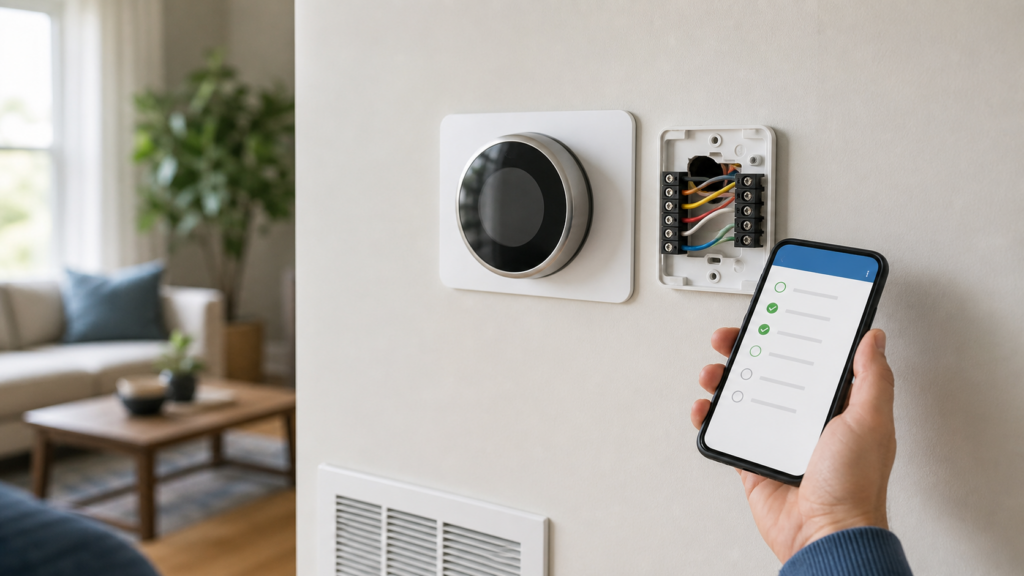
You can install some smart thermostats without an existing C wire, but there is no universal no-C-wire model. The right choice depends on the HVAC system, the wires at the thermostat, and the manufacturer’s compatibility rules. Some thermostats can operate without a C wire on many conventional heating-and-cooling systems; others solve the problem with a manufacturer-approved power connector or adapter.
Editorial note: This is a compatibility guide based on current manufacturer documentation and ENERGY STAR guidance. We did not conduct a hands-on test of every thermostat, and this page currently contains no affiliate purchase links. Product availability and compatibility can change, so confirm the exact model and system before buying.
What a C wire does
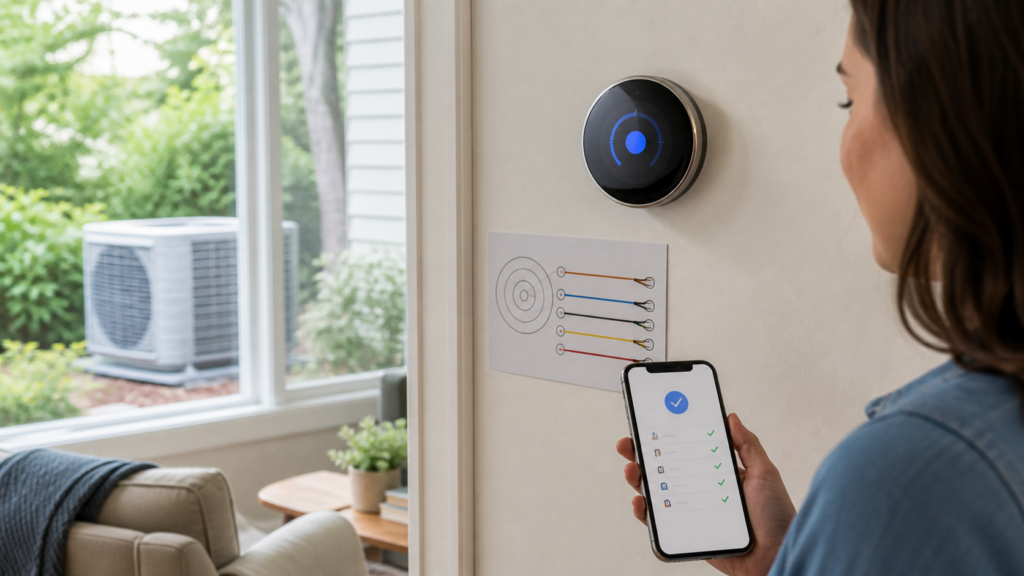
The C wire, or common wire, provides a continuous 24-volt return path that many Wi-Fi thermostats use for power. Older mechanical or battery thermostats often did not need continuous power, so the cable behind the wall may not have a connected C terminal even when an unused conductor is present.
A missing wire at the thermostat does not tell you everything about the system. The other end may be available at the furnace or air-handler control board, an unused conductor may be tucked behind the wall, or the equipment may use a proprietary communicating connection that is not compatible with a typical retail smart thermostat. That is why the wire labels, equipment type, and manufacturer compatibility checker all matter.
Best no-C-wire options by installation method
| Thermostat path | How it handles no C wire | Important exceptions | Best fit |
|---|---|---|---|
| Google Nest thermostat family | Some compatible systems can operate without an existing C wire; Google may require a Nest Power Connector or C wire in other cases. | Do not assume compatibility from wire count alone. Heating-only, cooling-only, zoned, and some other configurations can have extra power requirements. | Buyers willing to use Google’s model-specific compatibility checker before purchase. |
| Sensi Smart or Sensi Lite | Copeland says these models work without a C wire on most conventional combined heating-and-cooling systems. | A C wire is required for heat-only, cool-only, and heat-pump applications. Sensi Touch and Touch 2 require a C wire for all applications. | Many conventional furnace-and-AC systems with matching compatibility. |
| ecobee with Power Extender Kit | The PEK is a manufacturer-supported adapter installed at compatible HVAC equipment to provide the required power path. | This is an adapter-based solution, not native operation without a power path. Check the exact ecobee model, PEK inclusion, and 24 VAC system compatibility. | Homes where an equipment-side adapter is acceptable and compatible. |
| Honeywell Home T9 with C-wire adapter | Resideo states that the T9 package includes a C-wire adapter for homes without a C wire. | The adapter still has to match the HVAC configuration and be installed correctly. | Buyers who prefer an adapter included with the thermostat kit. |
1. Google Nest: potentially the simplest no-C-wire route
Google’s Nest thermostats can work without an existing C wire in some compatible systems. However, Google also states that a thermostat may require a C wire or the Nest Power Connector depending on the equipment and wiring. That makes the official compatibility checker—not a generic product list—the deciding step.
Before choosing a Nest model, record every terminal used by the current thermostat and identify whether the home has conventional forced-air equipment, a heat pump, zone controls, or a heating-only system. Run that exact configuration through Google’s checker. If the result says a Power Connector is required, treat that accessory and its equipment-side installation as part of the project cost and complexity.
Why it makes the list: there is a manufacturer-supported path for many homes without a connected C wire.
Why it is not universal: the power requirement varies by system and Nest model.
2. Sensi Smart and Sensi Lite: strong for conventional heat plus AC
Copeland’s documentation draws an unusually clear boundary. Sensi Smart and Sensi Lite work without a C wire on most conventional systems that provide both heating and cooling. A C wire is required when those models are used with heat-only, cool-only, or heat-pump systems.
That exception is important. A homeowner with a furnace and central air may get a different answer from someone with a heat pump even when the wires look similar at first glance. Also note that Sensi Touch and Sensi Touch 2 require a C wire in every application, so the name “Sensi” alone is not enough to establish no-C-wire operation.
Why it makes the list: the no-C-wire use case is documented for many conventional combined systems.
Why it is not universal: the supported method does not extend to heat pumps, heat-only, or cool-only setups.
3. ecobee with a Power Extender Kit: an adapter-based solution
ecobee’s Power Extender Kit, or PEK, is intended for compatible homes that do not have a C wire at the thermostat. The kit is installed at the HVAC control equipment and uses the existing wiring to create the required power path. ecobee describes this as a solution for compatible 24 VAC systems and directs buyers to its compatibility checker.
Do not describe a PEK installation as a thermostat that simply “does not need power.” It is a supported wiring workaround. The exact bundle also matters: ecobee states that thermostat models other than Smart Thermostat Essential and Smart Thermostat Lite include a PEK, while those two models can use a separately obtained kit when compatible. Confirm current package contents rather than relying on an old product roundup.
Why it makes the list: the manufacturer provides a defined no-existing-C-wire path.
Why it is not native: the solution depends on equipment-side adapter installation.
4. Honeywell Home T9: an adapter included in the kit
Honeywell Home’s support documentation says the T9 Smart Thermostat package includes a C-wire adapter for homes that do not have a C wire. This can simplify shopping because the supported accessory is identified with the product rather than left to a third-party workaround.
The adapter does not eliminate the compatibility check. You still need to identify the HVAC system, confirm the terminal arrangement, and follow the current installation instructions. A proprietary communicating system or an unusual control arrangement may require a different thermostat or professional guidance.
Why it makes the list: a manufacturer-specified adapter is included for the stated use case.
Why it is not native: continuous power is supplied through the adapter rather than by operating indefinitely without a suitable power path.
Native no-C-wire operation or adapter: which is better?
Neither method is automatically better. A thermostat that can operate on an existing compatible wire set may require less equipment-side work. A manufacturer adapter may provide a more explicit power solution and avoid relying on power-sharing behavior, but it adds installation steps near the furnace or air handler.
Choose based on the complete system rather than the fewest wires:
- Prefer a supported existing-wire installation when the exact thermostat and HVAC combination passes the manufacturer checker without an accessory.
- Prefer a manufacturer adapter when the checker specifies it, the equipment is compatible, and the installation can be completed safely.
- Consider running a new thermostat cable during renovation or when the existing cable is unreliable, inaccessible to an adapter solution, or unlikely to support future equipment.
- Use a qualified HVAC professional when the system type, control board, zoning, or terminal labels are unclear.
Heat-pump warning: the no-C-wire rules can change
Heat pumps may use reversing-valve, auxiliary-heat, emergency-heat, and multi-stage terminals that do not appear on a simple furnace-and-AC thermostat. A model that works without a C wire on a conventional system may require one on a heat pump. Sensi, for example, explicitly requires a C wire for its Smart and Lite models in heat-pump applications.
Do not move wires based only on color. Terminal letters and the equipment documentation are more useful because installers do not always follow the same color convention. If a thermostat change is connected to an unexpectedly high bill, review our faulty thermostat and high electric bill checklist before assuming the thermostat model is the only issue.
Compatibility checklist before you buy
- Turn off HVAC power as instructed by the manufacturer. Do not inspect or move wiring with the equipment energized.
- Photograph the existing connections. Record terminal letters and any jumpers before removing wires.
- Identify the equipment type. Distinguish conventional heating and cooling, heat pump, boiler, heat-only, cool-only, zoned, multi-stage, and communicating systems.
- Look for more than the wall connection. An unused conductor may be behind the thermostat, but equipment-side verification may be needed.
- Use the exact manufacturer checker. Enter the model and terminal configuration rather than relying on “works without C wire” in a retailer title.
- Include the adapter in the decision. Confirm whether it comes in the box, whether it is compatible, and where it must be installed.
- Stop when the system is unclear. A qualified HVAC technician can identify proprietary or high-voltage controls and prevent an incompatible installation.
Will a smart thermostat lower the electric bill?
A compatible thermostat can reduce avoidable heating or cooling by improving schedules, setbacks, and control. It cannot repair an oversized system, poor airflow, refrigerant problems, inadequate insulation, or a faulty appliance. Savings therefore vary with climate, occupancy, existing settings, equipment, and how consistently the new controls are used.
ENERGY STAR says certified smart thermostats are independently certified using field data to demonstrate energy savings. That is a better evidence gate than a universal percentage copied from an advertisement. Look for the ENERGY STAR certification of the exact model and check for current utility rebates before purchase. If the bill changed suddenly, start with the high electric bill diagnostic guide rather than assuming a thermostat upgrade will fix the cause.
How this fits into a smart-home energy plan
A thermostat is most useful when HVAC runtime is a meaningful household load and the schedule can be improved. It is not a substitute for measuring other large loads. Our Smart Home Energy hub explains how controls, monitoring, and automation serve different purposes, while the smart-home efficiency guide covers the broader trade-offs.
If you are comparing multiple device categories, use our evidence-led guide to home power-saving devices. It separates products that measure or control a real load from generic plug-in boxes that make unsupported whole-home savings claims.
Frequently asked questions
Can I install any smart thermostat without a C wire?
No. Compatibility depends on the thermostat model, HVAC equipment, and terminal configuration. Some models operate without an existing C wire only on specified systems, while others require a manufacturer adapter.
Can batteries replace a C wire?
Batteries may support a display or backup functions, but they do not make every Wi-Fi thermostat compatible with every system. Follow the model-specific power and wiring requirements.
What if there is an unused wire behind the thermostat?
It may be possible to use an unused conductor as a C wire if the other end is correctly connected at compatible HVAC equipment. That must be verified rather than assumed. Shut off power and follow the equipment and thermostat instructions, or ask a qualified professional.
Does a heat pump always need a C wire for a smart thermostat?
Not every heat-pump and thermostat combination is identical, but heat-pump requirements commonly differ from conventional-system requirements. Use the manufacturer checker for the exact wiring. Do not apply a conventional furnace-and-AC rule to a heat pump.
Is a third-party C-wire adapter safe to use?
Use only a solution explicitly supported for the exact thermostat and HVAC configuration. A manufacturer adapter or power connector with documented compatibility is preferable to an unspecified workaround. Installation must follow product instructions and local requirements.
Primary sources and methodology
We compared current manufacturer documentation by the method used to solve the missing-C-wire problem and recorded the system exceptions. We did not rank products by retailer ratings, copied savings percentages, or unverified hands-on claims.
- Google Nest thermostat wiring and power guidance
- Google Nest Power Connector
- Copeland Sensi C-wire requirements
- ecobee Power Extender Kit
- Honeywell Home T9 C-wire support
- ENERGY STAR smart thermostat guidance
Bottom line: The best smart thermostat without an existing C wire is the one that passes the manufacturer’s checker for your complete HVAC system. Start with compatibility, then compare controls, certification, adapter requirements, and installation—not the promise that one model works everywhere.